Setting up a Google Business Profile for doctors in Chennai requires selecting an accurate primary medical category, completing video verification, adding local landmarks with a 044 landline, and configuring direct WhatsApp appointment links. This ensures your clinic ranks in Chennai’s local 3-pack across neighborhoods like Anna Nagar, T. Nagar, and Adyar, converting local searchers into booked patients.
Introduction
Whenever a patient experiences acute tooth pain in Anna Nagar, sudden skin irritation in T. Nagar, or requires an urgent pediatric consultation in Adyar, their immediate action is searching on a smartphone. Over 70% of these patient journeys begin and end in the Google Maps “Local 3-Pack.” If your clinic does not appear in those top 3 map results, you are conceding high-intent outpatient footfall to competing corporate hospital chains and aggregators.
Setting up an optimized google business profile for doctors in Chennai is the single fastest and most cost-effective way to generate predictable patient inquiries. By pairing this local foundation with an overarching healthcare SEO guide, private practitioners can protect their independence, build direct patient relationships, and secure sustainable practice growth without relying on expensive aggregators.
The Chennai Local Healthcare Search Landscape
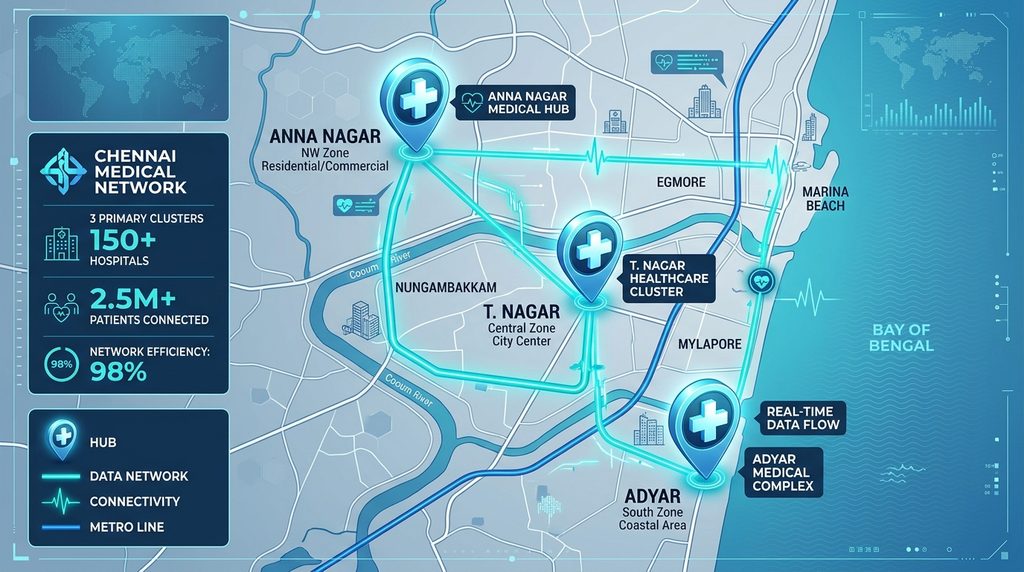
Chennai functions as a collection of self-contained micro-markets rather than a single unified city. Because of heavy traffic corridors along Anna Salai, GST Road, and 100 Feet Road, patients rarely travel cross-city for primary outpatient consultations.
According to healthcare infrastructure reports from the Tamil Nadu Health and Family Welfare Department Chennai has one of the highest densities of medical clinics and tertiary care facilities per square kilometer in South India. Competition is particularly intense across three key belts:
- North-Western Hub (Anna Nagar, Kilpauk, Shenoy Nagar): High concentration of pediatric, dental, and obstetrics practices serving established residential communities.
- Central Commercial Belt (T. Nagar, Kodambakkam, Alwarpet): High-density healthcare zones where evening OPD hours and parking accessibility heavily influence patient choices.
- South-Coastal & IT Corridor (Adyar, Besant Nagar, Velachery, OMR): Younger, digitally native patients who demand instant WhatsApp appointment booking and verify doctor credentials online.
To rank in these competitive areas, your Google Business Profile must be configured with hyper-local precision.
Why Is Google Business Profile Essential for Doctors in Chennai?
A Google Business Profile puts your practice directly into the Google Maps 3-Pack, which captures over 65% of local healthcare clicks. It provides patients with immediate answers: your exact address, consultation timings, authentic reviews, accepted payment methods, and a direct button to call or message your reception
According to official Google Business Profile Guidelines local ranking algorithms prioritize three core pillars: Relevance (how well your categories match the query), Distance (how close your clinic is to the searcher), and Prominence (your review count, ratings, and citation consistency).
Without a verified, complete GBP listing, even experienced specialists with decades of clinical excellence remain invisible to nearby patients searching online.
Step-by-Step Setup & Video Verification for Chennai Practices
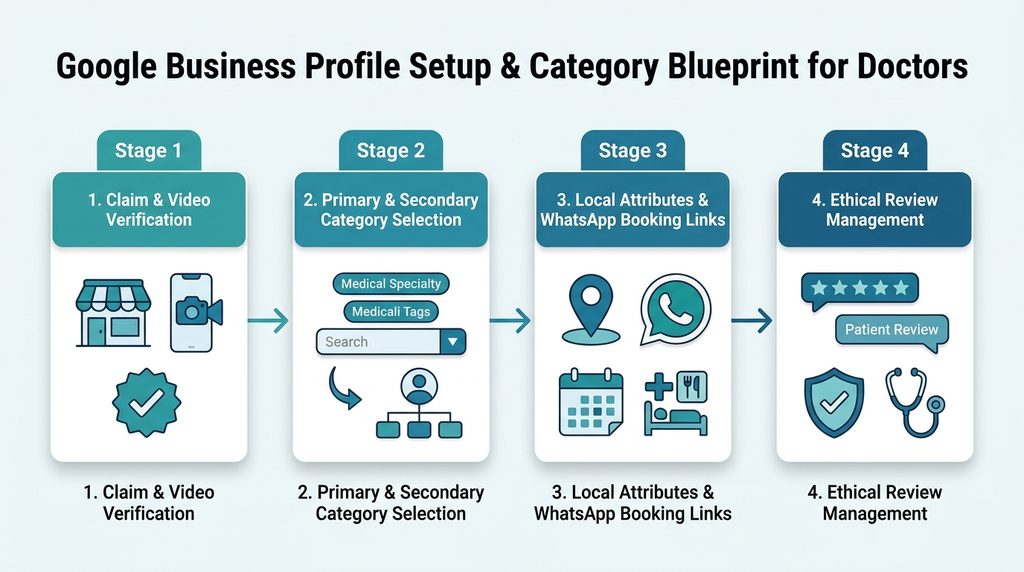
Verification is the primary bottleneck for medical professionals in Chennai. Google has largely deprecated postcard and simple SMS verification for medical categories in India, replacing them with mandatory Video Verification.
The 4-Step Verification Workflow:
- Claim or Create the Profile: Visit Google Business Profile and enter your official practice name. Follow standard naming conventions:
Dr. [Doctor Name] - [Specialty] Clinic(e.g., Dr. K. Senthil – Apollo Dental Clinic, Anna Nagar). Avoid keyword stuffing such as Best Dentist Cheap Anna Nagar, which triggers instant algorithmic suspensions. - Set Accurate Location & Landmarks: Enter your complete physical street address. In Chennai, include nearby landmarks in Address Line 2 (e.g., Opposite Anna Nagar Roundtana or Near Panagal Park). This helps both Google’s geocoding algorithms and patients navigating through dense streets.
- Primary Phone Number: Use a local
044landline or a dedicated clinic mobile number (+91). Ensure this exact number matches across your website and social profiles. - Prepare for the Continuous Video Recording: Google requires a 1 to 2-minute unedited continuous video recording covering three elements:
- Exterior: Street nameplate, building exterior, and permanent clinic signage with operating hours.
- Interior: Reception desk, waiting lounge, and patient consultation room.
- Proof of Management: Opening the clinic door with your key, unlocking the billing software, or displaying your Tamil Nadu Medical Council (TNMC) registration certificate.
Category Blueprint: Solo Doctor vs. Clinic vs. Multi-Specialty Hospital
Selecting your categories is the single most influential technical factor for ranking in local search. Google allows one Primary Category and up to nine Secondary Categories.
Doctor Profile vs. Clinic Profile
Google’s guidelines permit two distinct profile types:
- Practitioner Profile: Represents the individual doctor (e.g., Dr. Meera Ramanathan – Dermatologist).
- Practice/Location Profile: Represents the clinical establishment (e.g., Radiant Skin & Laser Clinic).
If you are a solo practitioner operating out of your own standalone facility, maintain a unified listing or create both only if you have separate dedicated phone lines and distinct front-desk operations.
Category Selection Matrix for Chennai Clinics
| Clinical Setup | Primary Category | Recommended Secondary Categories |
|---|---|---|
| Solo Dental Practice | Dental Clinic | Dentist, Cosmetic Dentist, Pediatric Dentist, Dental Implants Periodontist |
| Dermatology & Cosmetology | Dermatologist | Skin Care Clinic, Laser Hair Removal Service, Trichologist |
| Pediatric Clinic | Pediatrician | Children’s Hospital, Child Health Care Clinic |
| Orthopedic Center | Orthopedic Clinic | Orthopedic Surgeon, Sports Medicine Clinic, Physiotherapy Clinic |
| Multi-Specialty Center | Medical Clinic | General Practitioner, Diagnostic Center, Family Practice Physician |
Strategy Tip: Test your primary category. If your clinic specializes in implants, set Dental Implants Periodontist as primary to capture high-value treatment searches, leaving Dental Clinic as secondary.
Configuring Services, Local Attributes & WhatsApp Booking Links
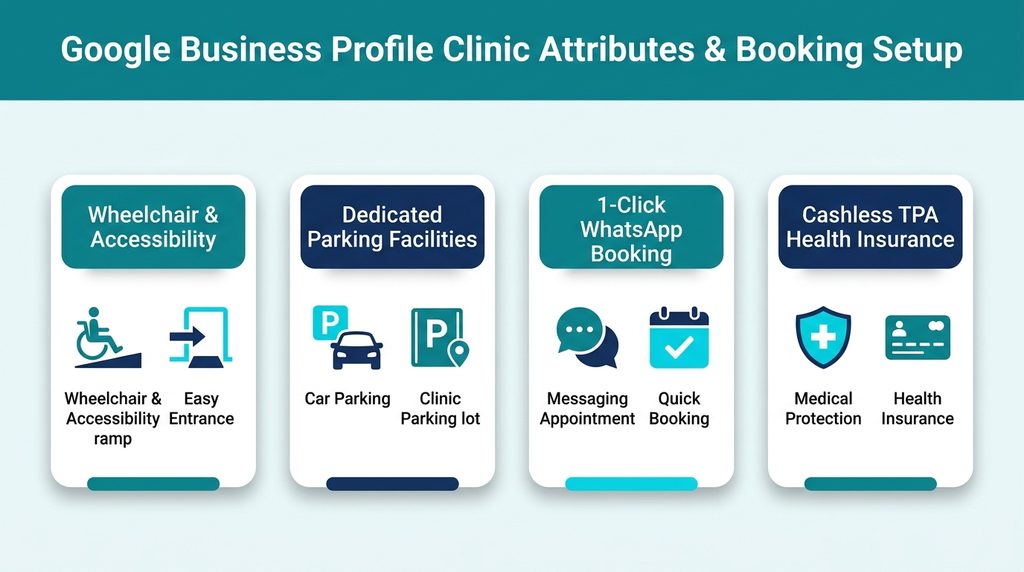
After category selection, expand your profile with detailed services and localized attributes to capture long-tail search intent.
1. Itemized Services with Pricing Transparency
Under each category, add specific clinical services with 300-character descriptions. For example, under Dermatologist:
- Acne Scar Subcision
- Chemical Peels for Hyperpigmentation
- PRP Hair Loss Treatment
2. Chennai-Specific Attributes
Select all applicable operational attributes that address common patient friction points in Chennai:
- Accessibility: Wheelchair-accessible entrance, wheelchair-accessible seating, accessible toilet.
- Amenities: Restroom, Wi-Fi, air-conditioned waiting room.
- Planning: Appointments required, accepts new patients.
- Crowd/Inclusivity: LGBTQ+ friendly, safe space for transgender individuals.
- Payments: Cash, UPI (GPay/PhonePe), Credit Cards, Cashless TPA Insurance.
3. Direct WhatsApp Appointment Link
Do not send patients to a generic homepage where they have to search for a phone number. Use Google’s dedicated Appointment URL field to link directly to a pre-filled WhatsApp click-to-chat link: https://wa.me/91XXXXXXXXXX?text=Hi%2C%20I%20would%20like%20to%20book%20an%20appointment%20at%20your%20Chennai%20clinic.
Pair this with a high-performing clinic website design that confirms appointment requests within 15 minutes.
Weekly Updates, Pre-Populated Q&As, and Tamil Content
An active Google Business Profile signals to Google’s algorithm that your clinic is operational, relevant, and authoritative.
1. The Weekly GBP Post Formula
Publish one Google Update every week. Healthcare updates should be informative, seasonal, and localized:
- Monsoon Health Advisory (October–December): Precautions against waterborne illnesses, dengue, and viral fevers in Chennai.
- Summer Care Guidance (April–June): Heat rash prevention, pediatric hydration tips, and sun protection advice.
- Facility Updates: Highlighting newly installed diagnostic or sterilization equipment.
2. Bilingual Description (Tamil & English)
A significant segment of Chennai patients, particularly senior citizens and parents searching for pediatric care, use Tamil or voice search. Incorporating Tamil in your profile description strengthens relevance:
Example Profile Description:
“Dr. Senthil Healthcare is a premier cardiology and general medicine clinic located in Anna Nagar, Chennai (near Tower Park). We provide comprehensive ECG, 2D Echo, and preventive cardiac wellness consultations.Open Monday to Saturday. Wheelchair accessible with dedicated valet parking.”
3. Pre-Populating the Q&A Section
Do not wait for patients to ask questions. Use your personal Google account to ask common practical questions, then log in to your official clinic profile to provide clear, helpful answers:
- Q: Is car parking available at the clinic?
A: Yes, dedicated parking is available for 4 vehicles directly in front of the clinic entrance on 2nd Avenue. - Q: Do you offer cashless insurance consultation?
A: We assist with reimbursement paperwork for all major health insurance providers. Consultations can be paid via UPI, card, or cash.
Ethical, NMC-Compliant Patient Review Management & Templates
According to healthcare market insights from the India Brand Equity Foundation (IBEF) over 80% of urban Indian healthcare consumers read online reviews before consulting a new medical specialist. However, doctors in India must maintain strict compliance with medical ethics regulations.
Review Response Templates (NMC & DPDP Compliant)
The National Medical Commission prohibits doctors from self-aggrandizing advertisements and publicly sharing patient medical records without consent. Follow these compliant response frameworks:
Template 1: For a Positive 5-Star Review
“Thank you for your kind feedback, [Patient Name]. Our entire clinical team in Anna Nagar is committed to providing a comfortable, professional experience for every visitor. Wishing you continued good health!”
(Note: Never state: “Glad your root canal / surgery went well”—that confirms medical treatment publicly.)
Template 2: For a Critical or Dissatisfied Review (Wait Times)
“Hello [Reviewer Name], we sincerely appreciate your feedback. We aim to keep waiting times minimal; however, emergency consultations occasionally impact scheduled appointment slots. Please contact our clinic manager directly at 044-XXXXXXXX so we can address your concerns personally.”
For an end-to-end framework on scaling authentic patient feedback across platforms, refer to our comprehensive guide on patient review management for clinics.
Case Study: How a T. Nagar Clinic Boosted Inquiries by 180%
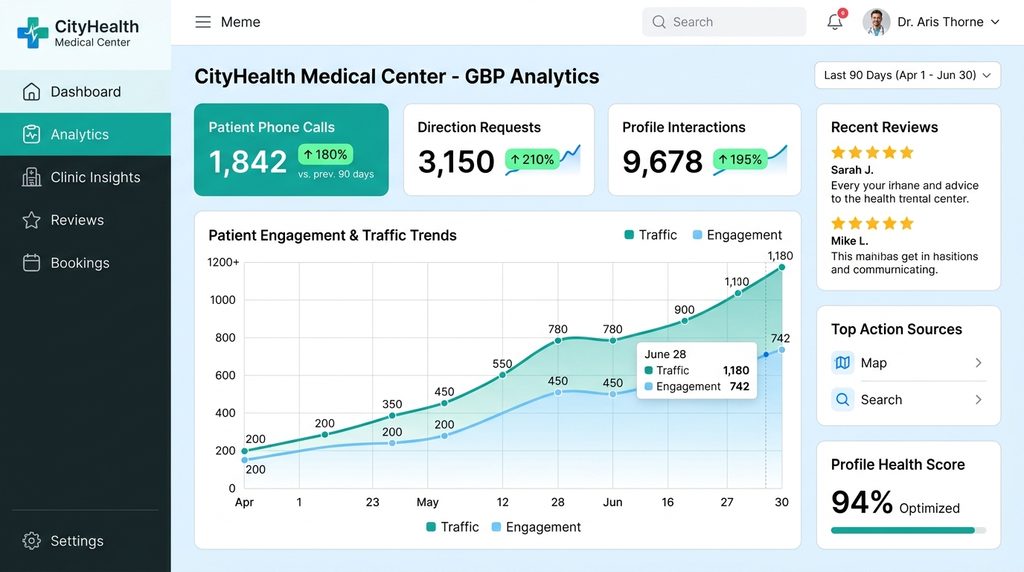
Clinic Overview:
- Specialty: Advanced ENT & Sinus Care Center
- Location: Near Pondy Bazaar, T. Nagar, Chennai
- Initial Problem: The clinic had operated for six years but generated fewer than 15 phone inquiries per month from Google Maps. Their GBP listing was unverified, lacked secondary categories, and had only 11 outdated reviews.
Optimization Implemented:
- Completed video verification with permanent clinic signage and medical registration certificates.
- Adjusted primary category to ENT Clinic and added secondary categories: Audiologist, Pediatric Otolaryngologist.
- Embedded landmark-rich directions (“200 meters from Panagal Park towards Usman Road”).
- Deployed a post-consultation SMS review automation via clinic billing software, collecting 68 authentic reviews over 90 days.
Verified Results:
- Google Maps 3-Pack Rank: Moved from #14 to #2 across T. Nagar, Kodambakkam, and West Mambalam.
- Direct Phone Calls: Increased from 14 calls to 42 calls per month (+200%).
- Direction Requests: Surged from 38 to 112 monthly requests (+194%).
6 Costly GBP Mistakes Chennai Doctors Must Avoid
Violating Google’s policies or medical advertising regulations can lead to profile suspensions, fines, or loss of medical licensure.
- Keyword Stuffing the Business Name: Adding phrases like “Dr. Arul – Best Skin Doctor Anna Nagar Acne Specialist” violates Google guidelines and triggers hard algorithmic suspensions.
- Violating NMC Ethics Guidelines: The National Medical Commission (NMC) prohibits commercial touting, false cure guarantees, and claiming superiority over medical peers. Keep your profile strictly educational and factual.
- Buying Fake Google Reviews: Google’s spam filters actively flag and remove sudden spikes in artificial reviews, frequently penalizing the associated profile. Focus on genuine post-visit feedback.
- Ignoring Negative Feedback: Leaving patient grievances unanswered signals neglect to prospective patients. Always respond calmly, professionally, and without confirming confidential health data.
- Inconsistent NAP (Name, Address, Phone): Discrepancies between your GBP address and your listings on Practo, Justdial, or your official website erode Google’s trust in your location data.
- Setting Service Areas Without a Physical Clinic: Doctors cannot list arbitrary residential neighborhoods across Chennai as service areas unless they provide home healthcare visits in those zones.
The 7-Day GBP Optimization Checklist

Use this structured implementation plan to launch and optimize your practice profile:
| Day | Focus Area | Actionable Deliverables |
|---|---|---|
| Day 1 | Audit & Claim | Claim profile, verify business name, ensure exact match with registration certificates. |
| Day 2 | Address & Phone | Add micro-landmarks, specify Chennai pincode, add local 044 landline / clinic mobile. |
| Day 3 | Categories | Select primary medical category and up to 5 relevant secondary clinical categories. |
| Day 4 | Hours & Attributes | Update exact OPD hours, emergency contact details, wheelchair accessibility, and parking status. |
| Day 5 | Media Upload | Upload 10+ high-resolution photos of clinic exterior, waiting room, consultation cabin, and doctor. |
| Day 6 | Booking Link | Configure direct 1-click WhatsApp appointment URL. Verify links using the Google Rich Results Test |
| Day 7 | Review Engine | Set up post-consultation WhatsApp feedback template and place reception desk QR code stands. |
Frequently Asked Questions (FAQs)
1. Can a doctor have both an individual practitioner profile and a clinic profile on Google?
Yes. Google Business Profile guidelines permit both a practitioner profile (e.g., Dr. Rajesh Kumar – Orthopedic Surgeon) and a practice location profile (e.g., Chennai Joint Replacement Clinic) at the same physical address. However, each listing should have distinct category specializations, separate appointment URLs, and unique phone extensions where feasible to prevent algorithmic merging.
2. Which primary category should I choose if I offer multiple specialties in Chennai?
Choose the category that represents your highest-revenue or core focus specialty as your primary category (e.g., Dermatologist or Dental Clinic). You can then add up to nine secondary categories (such as Laser Hair Removal Service or Cosmetic Dentist) to capture related search queries without diluting your primary ranking signal.
3. How do I add my Chennai clinic landmarks in the address without triggering a suspension?
Place landmarks in Address Line 2 rather than Address Line 1 or the Business Name field. For example:
Address Line 1: Old No. 14, New No. 28, 2nd Avenue
Address Line 2: Opposite Anna Nagar Roundtana, Near Round Table Club
City: Chennai | Pincode: 600040
This provides local navigation clarity while maintaining compliance with Google’s physical address verification standards.
4. What is the NMC rule regarding patient reviews and testimonials on Google?
The National Medical Commission (NMC) allows patients to leave organic reviews on third-party platforms like Google. However, doctors are strictly prohibited from paying for reviews, publishing exaggerated testimonials that guarantee cures, or using patient endorsements in paid advertisements. When responding, doctors must never confirm or discuss patient medical conditions publicly.
5. How long does video verification take for medical clinics in Tamil Nadu?
Once your continuous video recording is submitted through the Google Business Profile dashboard, Google’s manual review team typically approves or provides feedback within 3 to 7 business days. Ensure clinic signage, consultation operatory rooms, and registration certificates are clearly visible in the video to prevent verification rejections.
Conclusion
Your Google Business Profile is the digital front door to your Chennai medical practice. By establishing accurate medical categories, completing video verification, highlighting local landmarks, and managing patient reviews ethically, you position your clinic directly in front of nearby patients at the exact moment they need care.
Local search authority does not happen by accident—it requires disciplined setup and weekly optimization.
Ready to dominate the Google Maps 3-Pack in your neighborhood? Partner with our specialized team at healthcare digital marketing agency in Chennai to audit your clinic’s local presence, complete verification, and build a consistent patient acquisition engine.